%20(3)_edited_edited.png)


How to Integrate Sales Automation With Your Current Team Without Adding Headcount
- Peter Casey
- Mar 3
- 7 min read

Sales automation can increase throughput without increasing payroll, but only when it is implemented as an operational redesign: not a software installation. Generally speaking, the safest approach is to automate repetitive work, keep human judgment where it materially affects outcomes, and anchor everything in CRM automation so data stays consistent across the revenue team.
This guide outlines a practical way to integrate sales automation with your current team, with an emphasis on pipeline automation, measurable adoption, and risk-controlled rollout. Where appropriate, we also explain how Bullpen Business helps you connect with boutique firms that deliver B2B lead generation services and appointment setting services without requiring you to add headcount.
1) Define “no headcount” success criteria before selecting tools
If you do not define what “successful automation” means in your environment, you may end up with additional administrative load that offsets any gains. Set clear operational targets tied to capacity and quality.
A. Capacity targets (time and throughput)
Reduce manual data entry time per rep (minutes/day)
Increase first-touch speed to inbound leads (minutes/hours)
Increase qualified conversations per rep (weekly)
Reduce time spent scheduling meetings (weekly)
B. Quality targets (conversion and compliance)
Improve lead-to-meeting conversion rate (by segment)
Improve meeting-to-opportunity conversion rate
Maintain acceptable email deliverability and reply rates
Maintain CRM data completeness (required fields, stage hygiene)
C. Governance targets (ownership and auditability)
Document who owns each workflow (Sales Ops, RevOps, Marketing Ops)
Define what must be logged in the CRM (activities, notes, stage changes)
Define exceptions (e.g., strategic accounts that must be handled manually)
Practical note: You may see short-term disruption during rollout. Plan for a temporary dip in output while workflows stabilize.
2) Start with 1–2 workflows that consume time and do not require judgment
The most effective integrations usually begin with a narrow scope. Your goal is to create early proof that sales automation reduces burden, then expand.
Common high-impact starting points
Lead capture → enrichment → routing Automate intake from forms, inbound emails, webinar registrations, and list uploads. Add enrichment where legally and contractually permitted.
Follow-up sequences for known intent signals Automate structured follow-up when a lead requests pricing, downloads a gated asset, or attends a demo.
Meeting scheduling and reminders Reduce the manual back-and-forth for calendar coordination.
CRM updates for low-risk fields Log calls, emails, meeting outcomes, and standard status updates: while preserving human review for sensitive fields.
Workflow selection criteria (use all four)
High frequency (happens every day)
High repeatability (same steps each time)
Low downside if it misfires (easy to detect and correct)
Clear measurement (response time, meeting rate, SLA adherence)
3) Make CRM automation the system of record (and enforce it)
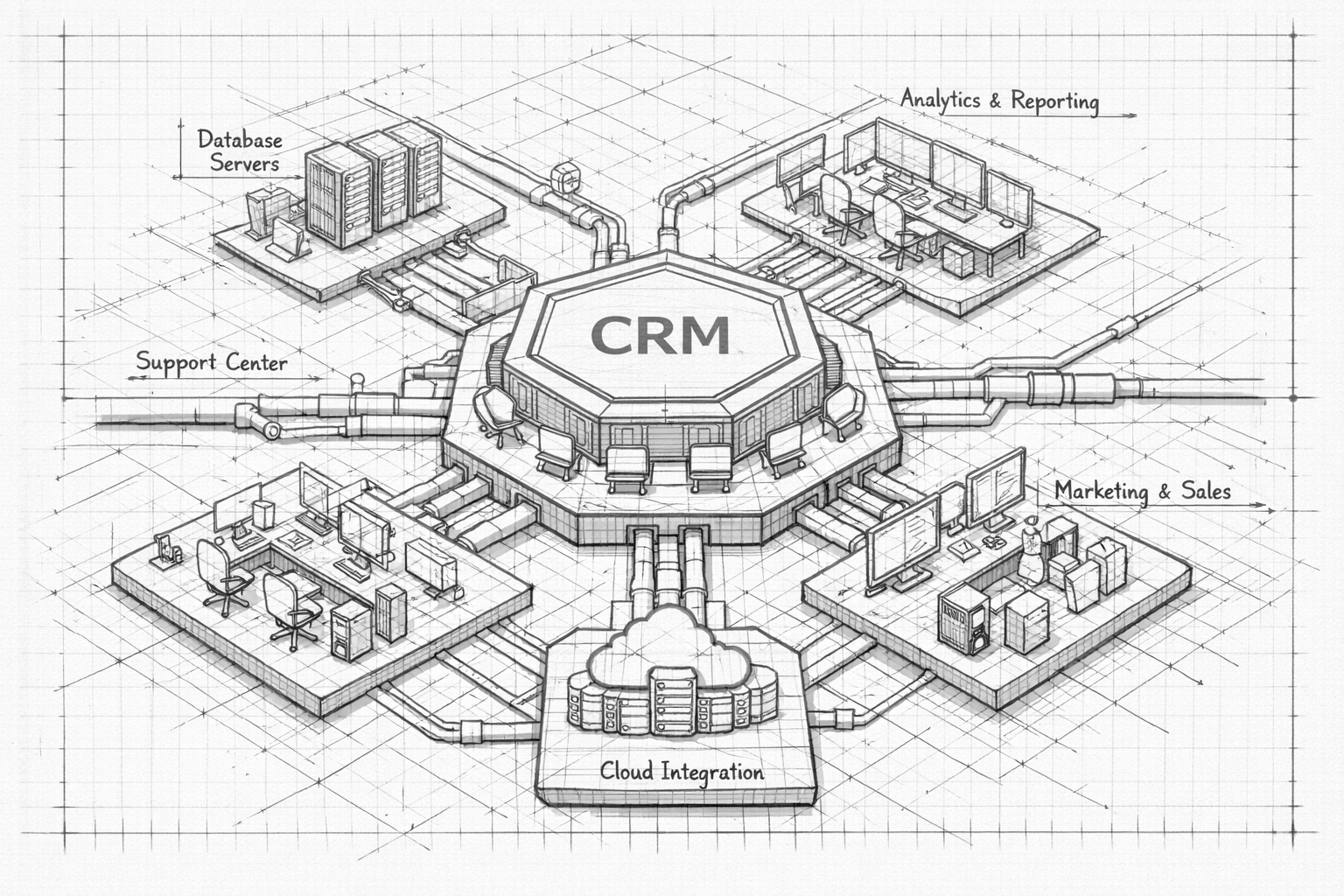
Sales automation fails when data becomes fragmented across tools. Generally speaking, you should treat your CRM as the authoritative system of record, and integrate everything bidirectionally where feasible.
Recommended CRM automation principles
Two-way sync between the CRM and automation tools (contacts, companies, activities, stages)
Field mapping discipline (avoid duplicate “source” or “status” fields across tools)
Data validation rules to prevent incomplete or inconsistent records
Audit trail for automated changes (who/what changed a field and when)
Common integration pitfalls
Automations writing to the wrong object (lead vs. contact)
Duplicate records created by multiple sources
Unclear lifecycle definitions (MQL/SQL definitions vary by team)
“Shadow pipelines” in spreadsheets that conflict with CRM stages
Implementation caution: Even with best practices, integration behavior may differ by CRM version, user permissions, and API limits. Test in a sandbox or limited pilot before full rollout.
4) Redesign pipeline automation around handoffs, not stages
Many teams attempt pipeline automation by only automating stage movement. This is often insufficient. The more durable approach is to automate handoffs: the moments where work moves from one person (or system) to another.
A. Identify your handoffs
Marketing → SDR (or inbound qualification)
SDR → AE (discovery readiness)
AE → Solutions (technical validation)
AE → Legal/Procurement (commercial approvals)
Post-sale → CS/Implementation (onboarding)
B. Define handoff requirements (minimum viable data) For each handoff, define required fields and artifacts. Example for SDR → AE:
ICP fit criteria met (industry, size, geo)
Primary use case and trigger event
Stakeholders identified and roles
Next meeting booked or explicit next step
Competing priorities or timelines
C. Automate the handoff mechanics
Auto-create tasks for the receiving owner
Auto-attach call notes or meeting summaries
Auto-notify via Slack/Teams with a structured template
Auto-generate a “handoff checklist” inside the CRM
This approach keeps human work focused on judgment and messaging, while pipeline automation ensures the operational steps happen consistently.
5) Keep humans responsible for personalization (use automation for drafting and timing)
Sales automation should generally be used to handle repetitive steps and gather context, not to remove human interaction where trust and positioning matter.
Where automation is typically safe
Drafting first-pass email variations for internal review
Scheduling sends based on time zones and engagement windows
Generating reminders for follow-up SLAs
Summarizing meeting transcripts into structured notes (with review)
Where human review should remain standard
Enterprise and strategic account outreach
Pricing discussions and negotiation messaging
Objection handling
Any outreach that references sensitive details (compliance, finance, health data)
Operational guideline: Treat AI-assisted content as “draft,” not “final,” unless you have established a quality control loop and acceptable error thresholds.
6) Build an adoption plan that does not rely on extra management time
Change management is the hidden cost of sales automation. If your managers must spend substantial additional time policing workflows, you are effectively adding “headcount” in the form of management load.
A. Train in-context
Short training embedded in the tools reps already use
Micro-playbooks (one page) tied to specific tasks (e.g., “How to route inbound leads”)
Recorded walkthroughs for self-serve onboarding
B. Define non-negotiables
Required CRM fields for each stage
Required activity logging rules
Disallowed workarounds (e.g., untracked spreadsheet pipeline)
C. Publish weekly metrics
Tool utilization (sequence enrollment, meeting link usage)
SLA adherence (time to first touch, time to follow-up)
Pipeline hygiene (stale opportunities, missing fields)
D. Create a feedback mechanism
A single channel for reporting automation errors
A weekly 15-minute review to approve improvements
A versioned change log so reps understand what changed and why
7) Use B2B lead generation services to feed the machine without hiring
Automation improves throughput, but it cannot create demand on its own. If your team is already capacity-constrained, B2B lead generation services can be used to supply qualified leads while your internal team focuses on discovery, solution mapping, and closing.
This is often a better trade than hiring because you can:
Scale outreach volume without expanding payroll
Use specialized talent for list building, deliverability, and multichannel cadences
Keep your internal reps focused on higher-value conversations
Where boutique partners tend to perform well
Prospect list development and enrichment (ICP-based)
Deliverability management (domain warming, sending controls)
Multichannel sequencing (email + LinkedIn + calling)
Qualification frameworks aligned to your CRM
At Bullpen Business, we connect you with vetted boutique firms that can support this model while preserving operational control and CRM visibility. You can review Bullpen Business at https://www.bullpenbusiness.com and schedule a discussion here: https://www.bullpenbusiness.com/service-page/meet-with-our-team-here
Expectation setting: Results depend on your offer, market conditions, list quality, and compliance constraints. No reputable provider can guarantee specific outcomes.
8) Pair appointment setting services with CRM automation to protect rep time
Appointment setting services can be effective when your internal team’s limiting factor is calendar availability and follow-up consistency. The integration risk is that meetings get booked without proper qualification, creating downstream waste.
To avoid that, ensure your appointment setting services are integrated with your CRM automation and pipeline automation requirements.
Minimum requirements to enforce
Meetings must be written to the CRM automatically (with source attribution)
Disqualification reasons must be captured (not just “not interested”)
Meeting notes must include ICP fit indicators and stated problem
No-show handling must trigger an automated reschedule workflow
Duplicate booking and routing rules must be enforced (territory, segment, account ownership)
Recommended “meeting quality” metrics
Show rate by channel and by booker
Meetings-to-SQL conversion rate
Average time from first touch to meeting
% meetings with complete qualification fields

9) A 30-day rollout plan that minimizes disruption
A phased rollout helps you achieve real gains without overwhelming your current team.
Days 1–5: Discovery and workflow selection
Inventory repetitive tasks by role (SDR, AE, manager)
Select 1–2 workflows to automate first
Confirm CRM fields, objects, and lifecycle definitions
Identify compliance constraints (email, privacy, industry rules)
Days 6–15: Build and pilot
Configure automation in a limited cohort (1 team or segment)
Validate two-way sync and field mapping
Establish exception handling (what happens when automation fails)
Create micro-training and a one-page SOP per workflow
Days 16–25: Expand and stabilize
Roll out to the full team for the selected workflows
Monitor deliverability, response time, meeting quality
Fix common failure modes (duplicates, routing errors, misfiring triggers)
Days 26–30: Report and decide next workflows
Compare baseline vs. post-rollout metrics
Collect rep feedback and adjust playbooks
Select the next 1–2 workflows (do not expand scope without evidence)
10) What to measure to confirm you did not “add headcount” indirectly
Automation can create hidden work (troubleshooting, monitoring, QA). Confirm that your efficiency gains are not offset by new operational burden.
A. Time-based KPIs
Rep admin time per day (self-reported + activity proxies)
Manager time spent on pipeline hygiene
Time to first touch (inbound and outbound replies)
B. Pipeline KPIs
Stage conversion rates (by segment)
Opportunity aging and stall rates
Activity-to-outcome ratios (touches per meeting, meetings per SQL)
C. Data integrity KPIs
Duplicate rate (contacts/companies)
Missing required fields by stage
% opportunities without a next step date
D. Automation health KPIs
Failure rates (zaps/workflows failing)
API limit warnings
Deliverability indicators (bounce rate, spam complaints)
Governance note: If you operate in regulated environments, you may need additional review and documentation. You should consult qualified internal or external advisors for compliance requirements specific to your industry.
11) Where Bullpen Business fits: curated boutique execution with operational alignment
Many teams can identify what they want (sales automation, CRM automation, pipeline automation), but execution often fails at the integration and governance layer: or it consumes time your team does not have.
Bullpen Business generally supports a practical model:
You keep strategy, messaging ownership, and CRM governance internal.
We connect you with boutique firms that specialize in the execution layer (B2B lead generation services, appointment setting services, automation implementation), depending on your constraints.
The engagement is structured to reduce operational drag and preserve visibility inside your CRM.
If you want to evaluate options without committing to a full rebuild, you can review our site at https://www.bullpenbusiness.com and schedule a conversation here: https://www.bullpenbusiness.com/service-page/meet-with-our-team-here
12) Implementation checklist (use this before you expand scope)
CRM automation readiness
Lifecycle stages defined and agreed across teams
Required fields per stage documented
Two-way sync tested for contacts, companies, activities
Duplicate prevention rules in place
Pipeline automation readiness
Handoff requirements defined (minimum viable data)
Task creation and notifications tested
Exception paths documented
Outbound and scheduling readiness
Deliverability basics implemented (domains, SPF/DKIM/DMARC as applicable)
Sequencing rules align with your brand and compliance needs
Meeting booking writes to CRM with source tracking
Operational readiness
In-context training assets available
Weekly metrics dashboard defined
Feedback loop and change log established
The consistent pattern is straightforward: automate the repeatable operational steps, keep judgment with your team, and use boutique partners where specialized execution is required to scale without adding headcount.
Comments